
Jul 23, 2026 · 8 min read
Database vs Spreadsheet: When Should a Business Upgrade?
Compare a database vs spreadsheet for managing business data. Learn the signs that spreadsheets are limiting your workflow and what to use instead.
Services
Our service offers a team of engineers, designers, and QA specialists to achieve your goals.
See how it worksYou gain a team of experts including engineers, designers, and QA who drive your project.
See what our Dev team can build for you
A WAMP server is a local web development environment for Windows. WAMP stands for Windows, Apache, MySQL and PHP. It lets developers build, run and test dynamic websites and PHP applications on their own computer before deploying them to a live server, reducing hosting costs and preventing unfinished work from going public.
WAMP is an acronym for the four components that make up the stack:
WAMP is the Windows-specific version of this setup. The same stack is called LAMP on Linux and MAMP on macOS the only difference is the operating system.
Since the start of the 21st century, websites have increasingly become a vital organ for businesses, organizations and individuals. They are representations of organizations in the world wide web, more commonly known as the Internet. Their importance is represented by the fact that 71% of businesses now own a website in 2023. As a matter of fact, a new website is built every 3 seconds.
This signifies that web development has emerged as one of the most in-demand fields in technology today, and the rush to meet this demand calls for technological advancements that ease the development process as much as possible.
One of these such tools is WAMP. WAMP is a web development server that allows developers to test their code in a dynamic environment without web hosting.
In this guide, we comprehensively discuss WAMP, how it works, its usefulness and its benefits.
WAMP installs all of the components on your local system allowing you to access and manage your web server from the WAMP control panel. On this interface, you can manage databases, test scripts, etc.
The following are characteristics of WAMP:
Getting started with WAMP is straightforward and easy, and we've broken it down into 4 steps. However, if you'd rather not do it yourself, we can help you handle all your WAMP-related concerns or questions.
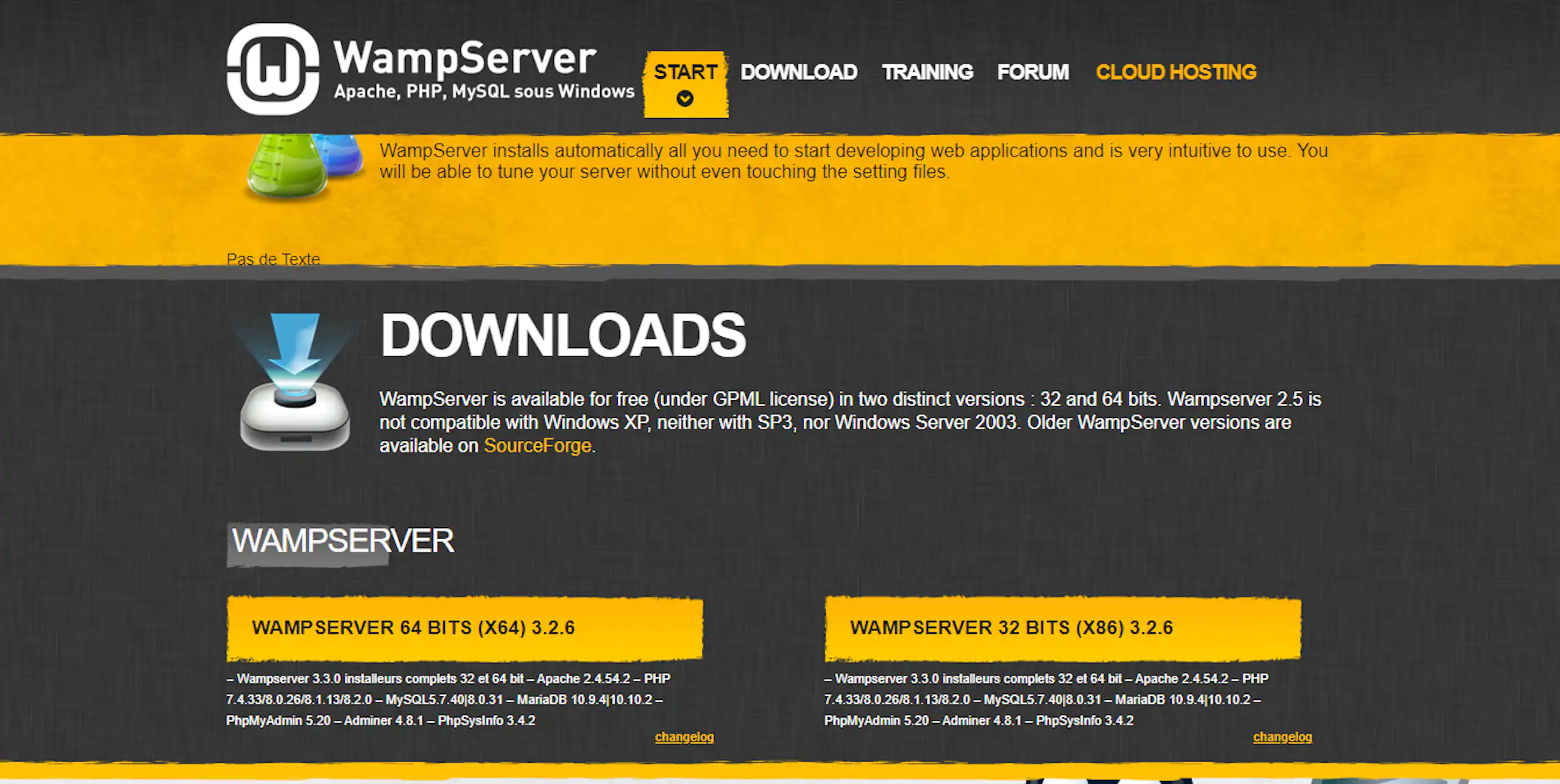
The first step is to download the correct version of WAMP software from the official website.
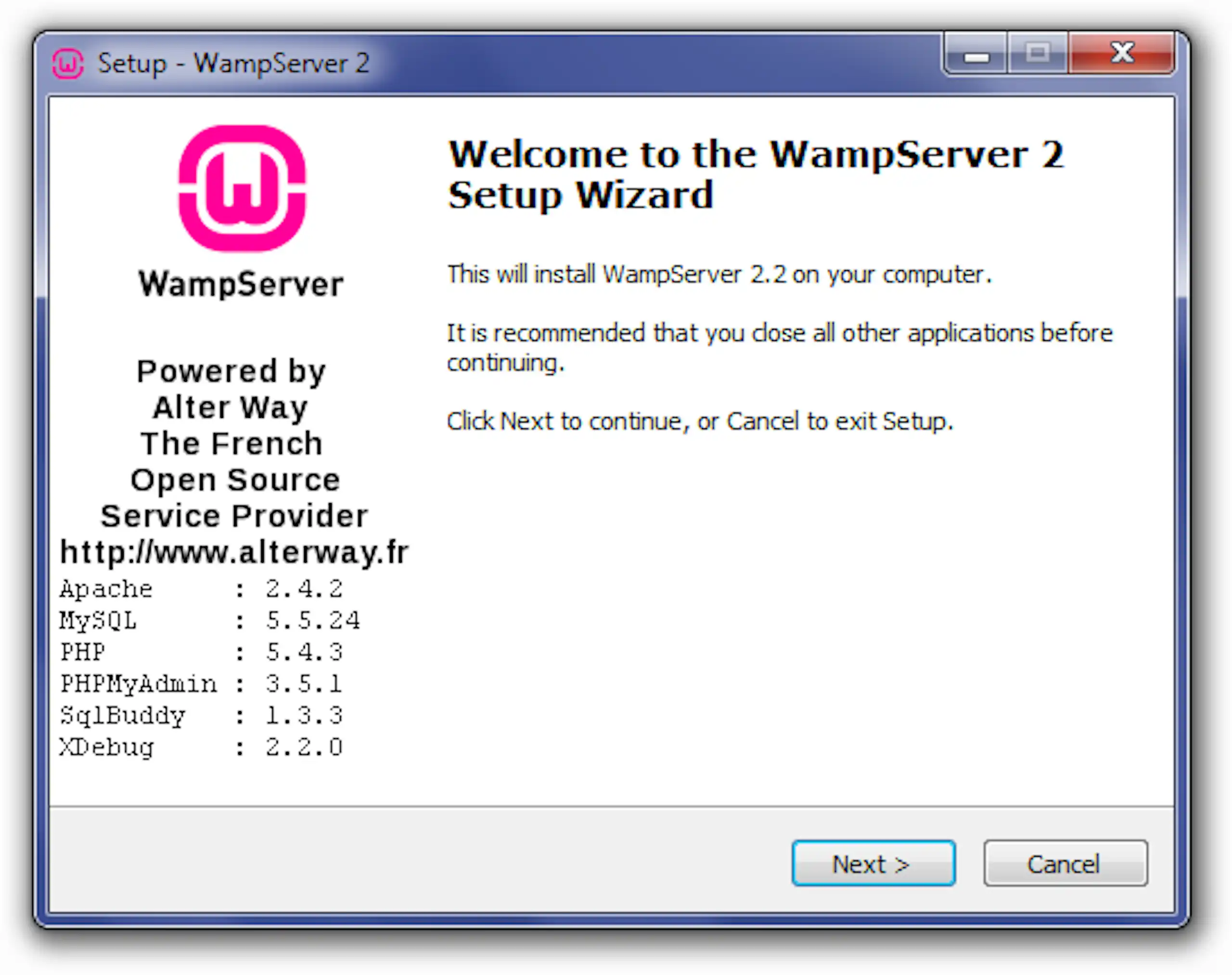
Once the download is complete, open the file to run the installer and start the installation process, following the pop-up instructions.
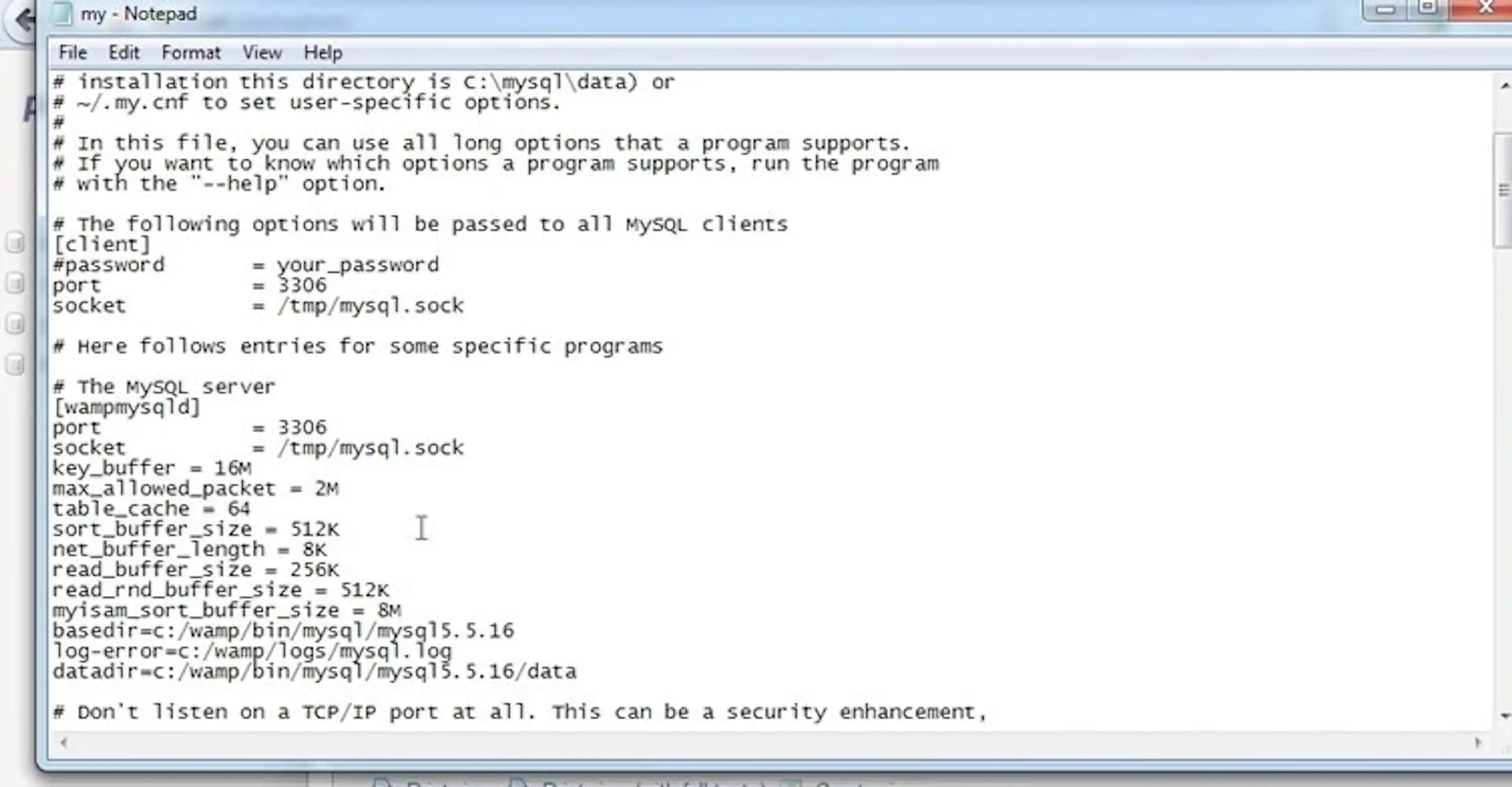
After finishing the installation, you should configure Apache, MySQL and PHP. First, click on the Wamp icon and select “Apache”. Next, click on “httpd.conf” to open the configuration file in your default text editor, where you can tweak the Apache settings.
For PHP, click on “php.ini’ to open the configuration file, while for MySQL, it is “my.ini” that opens configuration settings.
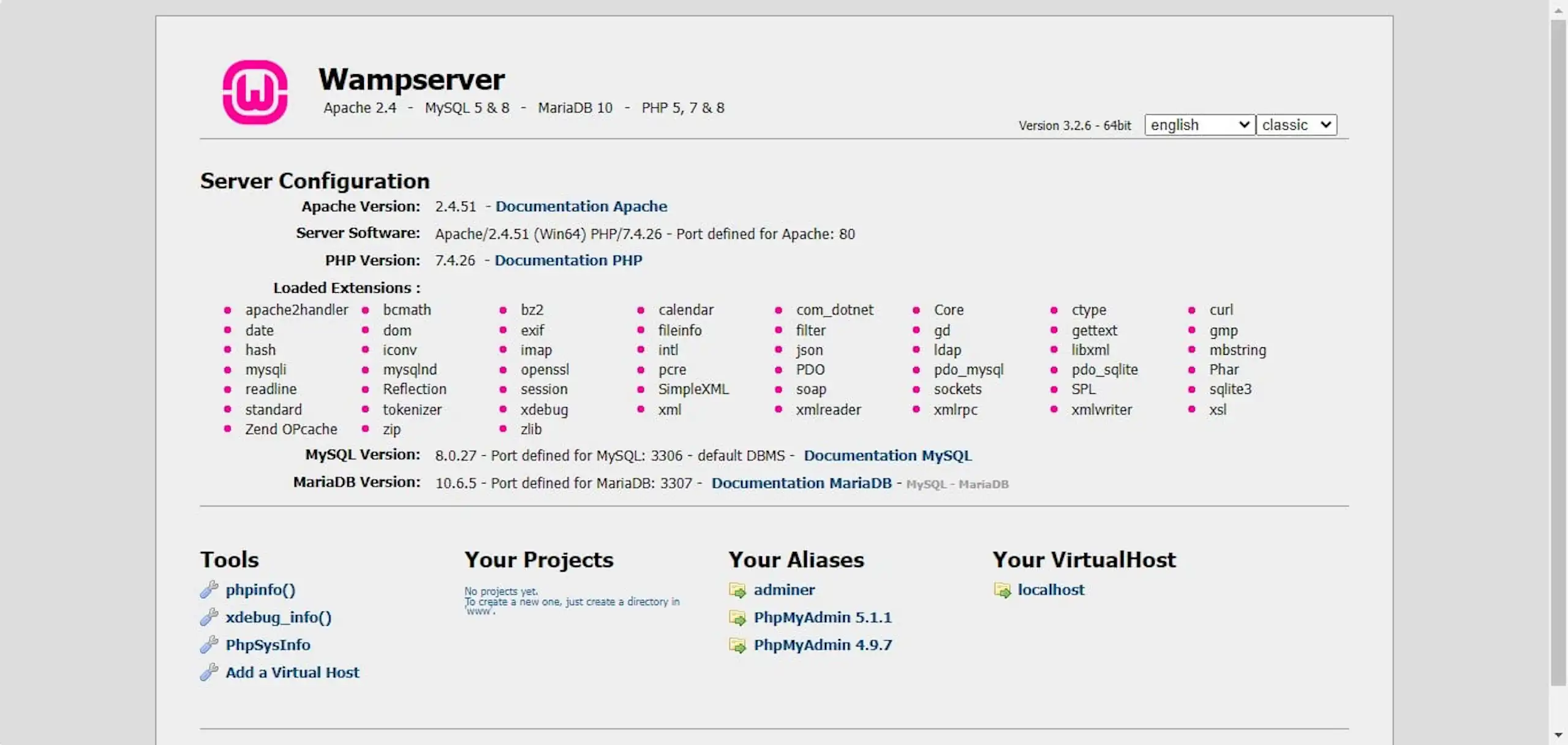
You can test your WAMP server by entering “http://localhost" in the address bar. If your installation and configuration are successful, you will be redirected to a WAMP server home page.
The pros of using WAMP include the following:
WAMP is the perfect place to build and test a web application on your own machine, with no hosting costs and no risk to a live site. But taking that project from a local environment to a product that handles real users, real data and real traffic is a different job. It calls for considered architecture, secure deployment, reliable cloud infrastructure and steady iteration well beyond launch day.
That is where a software development partnership earns its place. At Wazobia Technologies, we embed senior engineers directly into your team and take ownership of the outcome, from full-stack build and cloud deployment to AI-native features, so your product ships faster and scales with confidence.
If you have proven your idea locally and you are ready to build the real thing, we can help you get it live. Book a free strategy call and we will map out exactly what your product needs.
XAMPP is another server providing a complete local development environment for developers to test web applications on their system without going live. Like WAMP, XAMPP uses Apache, MySQL and PHP for web serving, database management, and server-side scripting respectively. The major differences between XAMP and WAMP are the “X” and the additional “P”.
X stands for cross-platform server, meaning it can be used for multiple operating systems. Remember, WAMP is made for the Windows operating system, but while XAMPP can work on Windows, it is also compatible with Linux and Mac.
P stands for Perl, an additional programming language not present in WAMP.
XAMPP is deemed to be easier to use and more powerful than WAMP. Regarding functionality, both servers are similar and have the same basic features. Making a choice between WAMP and XAMPP comes down to personal preference and the operating system being used.
1. What is a WAMP server used for?
WAMP Server is used to run a local web server on a Windows computer so developers can build and test dynamic websites and applications offline. It lets you work with PHP and MySQL databases in a safe, private environment before publishing anything live, which removes the cost and risk of testing on a hosted server.
2. Is WAMP server free?
Yes, WAMP Server is completely free to download and use, with no licence fee or paid tier required. Its core components, Apache, MySQL and PHP, are all open-source technologies, which is part of why the stack is so widely used by beginners and professionals alike.
3. What is the difference between WAMP and XAMPP?
The main difference is the operating system and the components bundled in. WAMP is built specifically for Windows, while XAMPP is cross-platform and also runs on macOS and Linux, and XAMPP adds Perl (the extra "P") alongside Apache, MySQL and PHP. Both do the same core job of providing a local development environment, so the choice usually comes down to your operating system and personal preference.
4. Is WAMP a web server?
Not exactly. WAMP is a software stack, a bundle of tools that includes the actual web server, Apache, along with MySQL for databases and PHP for scripting. So Apache is the web server doing the work, and WAMP is the complete package that installs and manages it on Windows.
5. How do I open WAMP server on Windows?
After installing, launch WampServer and look for its icon in the system tray, which turns green once Apache, MySQL and PHP are all running. You can then open your browser and type http://localhost into the address bar to reach the WAMP homepage and confirm the setup is working.
WAMP is popular because it makes life easier for developers by providing a complete development environment that lets them freely test and develop their dynamic websites, web applications and any other platforms compatible with Windows OS. It is a free, versatile and efficient tool that enhances productivity.
It is an excellent choice for developers seeking to build robust web applications easily and quickly. WAMP’s extensive documentation, vast community support and pleasant user interface make it ideal for both rookies and experts.
If you are trying to decide what software packages to use or you have further questions regarding website and application development, we offer guidance and development services at Wazobia technologies. Whether you’re building a small website or a complex web application, contact us to bring your ideas to life.
Keep Reading
Jul 23, 2026 · 8 min read
Compare a database vs spreadsheet for managing business data. Learn the signs that spreadsheets are limiting your workflow and what to use instead.

Jul 23, 2026 · 9 min read
Compare SQL vs NoSQL databases by structure, transactions, scalability and use case. Learn which architecture is right for your application.
.jpg_7DAeB8?tr=w-2560,f-webp,q-50)
Jul 23, 2026 · 8 min read
Find the best database for web applications based on SaaS, ecommerce, marketplace, real-time and content use cases. Compare the practical trade-offs.
© Wazobia Technologies 2026
