
Jul 23, 2026 · 8 min read
Database vs Spreadsheet: When Should a Business Upgrade?
Compare a database vs spreadsheet for managing business data. Learn the signs that spreadsheets are limiting your workflow and what to use instead.
Services
Our service offers a team of engineers, designers, and QA specialists to achieve your goals.
See how it worksYou gain a team of experts including engineers, designers, and QA who drive your project.
See what our Dev team can build for you
.jpg_BFHR9b?tr=w-2560,f-webp,q-50)
Choosing the best database software is an important decision for any business that wants to store, manage, protect, and use data properly. Whether you are building a web application, replacing spreadsheets, managing customer records, or scaling a software product, the right database management software gives your business a reliable foundation.
The challenge is that there is no single “best” database for every use case. A small business may need simple online database software. A software team may need a powerful open-source DBMS. An enterprise may need a managed cloud database that supports large datasets, compliance, and high availability.
This guide compares the best free database software, freemium tools, and paid database options so you can choose with more confidence.
Database software is a system used to create, store, organize, update, retrieve, and manage data. It helps businesses keep information structured, searchable, secure, and available when needed.
A database management system, also called a DBMS, controls how data is stored and accessed. Examples of database software include PostgreSQL, MySQL, MongoDB, Microsoft SQL Server, Oracle Database, SQLite, MariaDB, Amazon RDS, Firebase, and Airtable.
For example, an ecommerce business may use database software to store products, customers, orders, payments, and inventory. A school may use it to manage student records. A software company may use it to power user accounts, dashboards, transactions, and reports.
In simple terms, database software helps businesses move from scattered data to organized, reliable information.
Before choosing a tool, it is important to understand what “free database software” really means.
Some tools are genuinely free and open source, such as PostgreSQL, MySQL Community Edition, MariaDB, and SQLite. You can use them without paying for the database engine, although hosting, maintenance, backups, and developer time may still cost money.
Some tools are freemium. MongoDB Atlas, Supabase, Firebase, Airtable, and Amazon RDS may offer free tiers or credits, but usage limits apply.
Some tools are paid but offer free editions or trials. Microsoft SQL Server Express and Oracle Database Free are good examples.
The best option is not always the cheapest one. The right database should match your business needs, team skill level, application type, security requirements, and growth plan.
When comparing database management software, look beyond popularity. Ask practical questions:
What type of data do you need to store? Relational data, documents, key-value data, or connected graph data?
Will the database support a website, mobile app, desktop app, internal workflow, or enterprise platform?
Do you need cloud hosting, local desktop storage, or a self-hosted setup?
Can your team maintain it properly?
Will it still work when your users, records, reports, and integrations grow?
Does it support backups, access control, encryption, and compliance needs?
These questions matter because changing database systems later can be costly.
A good software development partner will not recommend a database only because it is popular. They will first understand your workflow, product roadmap, data structure, and long-term business goals.
1. PostgreSQL — Best Overall Free Database Software
PostgreSQL is one of the best database software options for modern applications. It is free, open source, reliable, and powerful enough for startups, SaaS products, internal business platforms, financial systems, dashboards, and large web applications.
It supports SQL, advanced queries, transactions, indexing, JSON data, and many extensions. This makes it flexible for businesses that need both structure and room to grow.
Best for: Web applications, SaaS products, custom business software, reporting systems, and growing companies.
Free status: Free and open source.
Why choose it: It is dependable, scalable, and suitable for many serious software projects.
2. MySQL — Best for Established Websites and Ecommerce Platforms
MySQL is one of the most widely used database management systems for websites and web applications. It is common in ecommerce platforms, content management systems, and PHP-based development environments.
MySQL is also familiar to many developers, which makes it easier for businesses to find support and maintain existing systems.
Best for: Websites, ecommerce platforms, WordPress projects, and general web applications.
Free status: MySQL Community Edition is free and open source.
Why choose it: It is popular, well-documented, and widely supported.
If your team is learning local web development, MySQL is also relevant to tools like WAMP and XAMPP.
You can learn more in our guide on What is WAMP Server and the XAMPP installation guide.
3. MariaDB — Best MySQL Alternative
MariaDB is a free, open-source relational database created by the original developers of MySQL. It is often used as a MySQL-compatible alternative for web applications, business systems, and hosting environments.
Best for: Web apps, Linux-based systems, open-source projects, and teams moving from MySQL.
Free status: Free and open source.
Why choose it: It offers familiar SQL database features with strong community support.
4. SQLite — Best Free Desktop and Embedded Database
SQLite is a lightweight database engine that stores data locally without needing a separate database server. It is widely used in mobile apps, desktop software, prototypes, embedded systems, and offline-first tools.
Best for: Desktop apps, mobile apps, prototypes, local storage, and embedded software.
Free status: Free to use for commercial and private purposes.
Why choose it: It is simple, fast, portable, and easy to set up.
SQLite is not the best choice for high-traffic multi-user applications, but it is excellent when you need reliable local storage.
5. MongoDB — Best NoSQL Database for Flexible Data
MongoDB is a document database used when data does not fit neatly into fixed rows and columns. It is popular for content platforms, product catalogs, user profiles, analytics events, and applications with changing data structures.
Best for: Flexible data models, content-heavy apps, prototypes, and modern web applications.
Free status: MongoDB Community Server is available, and MongoDB Atlas has a free cloud tier with limits.
Why choose it: It helps developers move quickly when the data model needs flexibility.
The main risk is poor data structure. MongoDB is flexible, but teams still need good data modeling practices to avoid messy systems later.
6. Microsoft SQL Server Express — Best Free Option for Microsoft Teams
Microsoft SQL Server is a mature relational database widely used by businesses. SQL Server Express is the free edition for lightweight web, desktop, and small server applications.
Best for: .NET applications, Windows-based teams, small business apps, and Microsoft-heavy environments.
Free status: Free Express edition available, with paid editions for larger needs.
Why choose it: It works well with Microsoft tools and gives small teams a free starting point.
7. Oracle Database Free — Best for Learning Enterprise Database Systems
Oracle Database is common in enterprise environments where performance, reliability, and advanced database features matter. Oracle Database Free gives developers and teams a no-cost way to learn, prototype, and test Oracle-based systems.
Best for: Enterprise learning, Oracle development, prototypes, and database training.
Free status: Free edition available; enterprise use may require paid licensing.
Why choose it: It gives access to an enterprise-grade database ecosystem.
8. Amazon RDS — Best Managed Online Database Software
Amazon RDS is a managed cloud database service that supports engines like PostgreSQL, MySQL, MariaDB, SQL Server, and Oracle. It helps teams reduce the work involved in backups, patching, availability, and infrastructure management.
Best for: Cloud applications, SaaS products, startups on AWS, and growing businesses.
Free status: AWS offers free-tier options and credits, but production use is usually paid.
Why choose it: It reduces database administration work and supports scalable cloud deployment.
Amazon RDS is a strong choice when your business needs online database software but does not want to manage servers manually.
9. Supabase — Best Online Database Platform for Startups
Supabase is a Postgres-based development platform. It combines a managed database with authentication, APIs, storage, realtime features, and backend tools.
Best for: MVPs, startups, SaaS products, internal tools, and fast product development.
Free status: Free plan available with limits; paid plans support scaling.
Why choose it: It helps teams build faster while still using PostgreSQL as the database foundation.
10. Firebase / Cloud Firestore — Best Realtime Database for Mobile Apps
Firebase from Google is popular for mobile and web applications that need real-time updates, authentication, hosting, analytics, and quick frontend-backend integration.
Best for: Mobile apps, chat apps, real-time dashboards, collaboration tools, and prototypes.
Free status: Free plan available with pay-as-you-go scaling.
Why choose it: It allows teams to launch quickly without managing much backend infrastructure.
Firebase is useful for speed, but teams should think carefully about pricing, data modeling, and vendor lock-in before building complex long-term systems on it.
11. Airtable — Best No-Code Database for Small Businesses
Airtable combines spreadsheet-like usability with database-style structure. It is popular with small businesses and non-technical teams for managing records, projects, content calendars, CRM lists, inventory, and workflows.
Best for: Small teams, internal tracking, lightweight CRM, operations, and no-code workflows.
Free status: Free plan available with limits; paid plans unlock more features.
Why choose it: It is easy for non-technical teams to use.
Airtable is useful for business organization, but it should not be treated as a full replacement for a production-grade application database.
For businesses comparing ready-made tools with custom systems, read our guide on off-the-shelf software examples is a useful next read.
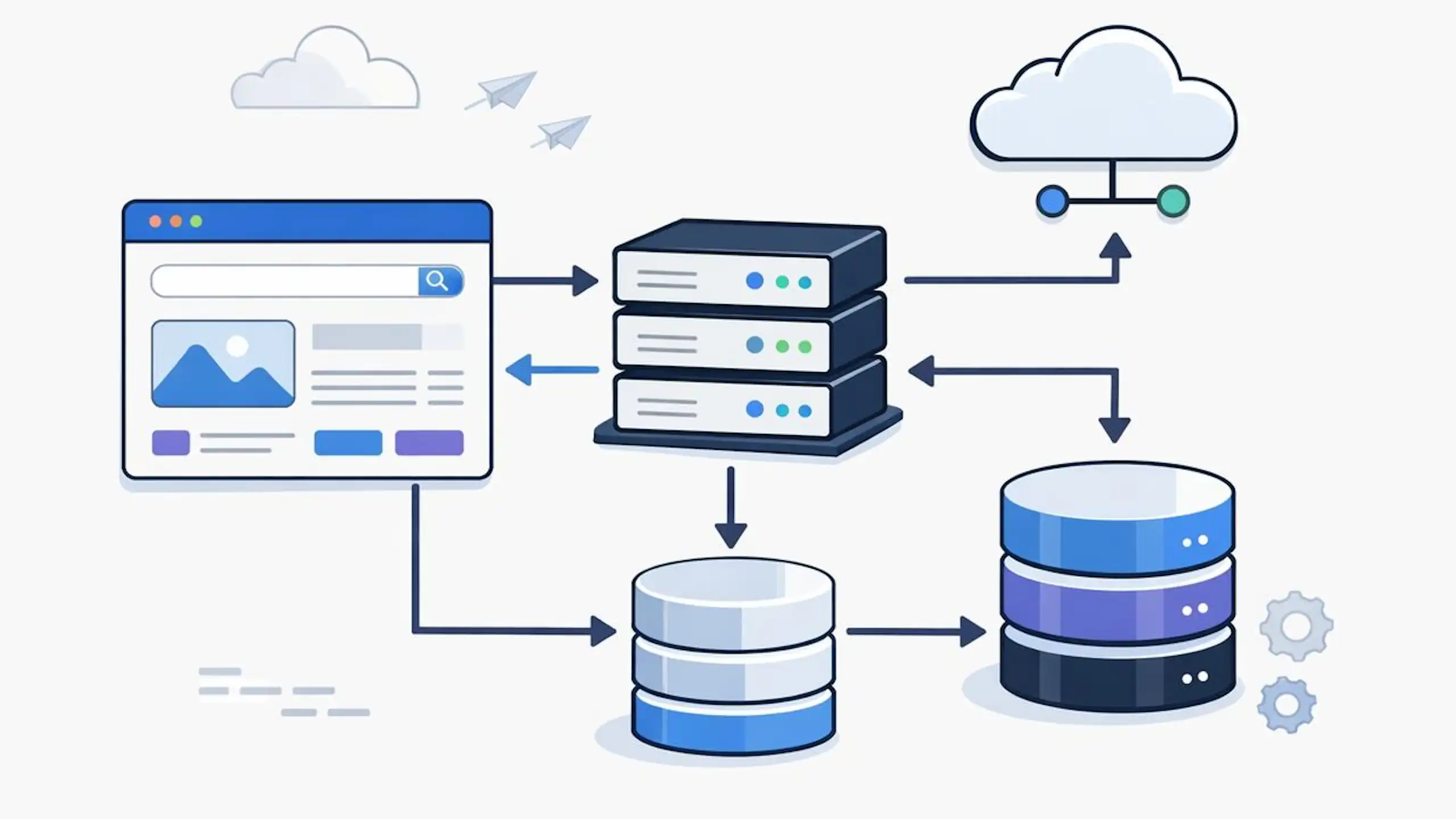
The best database software is not necessarily the product with the most features. It is the one that matches how your application works, how your data is structured and what your team can manage reliably.
A startup building a web application will have different requirements from a professional-services firm replacing spreadsheets. The following decisions can help you narrow down the right option.
PostgreSQL is a strong starting point for many modern web applications because it supports structured relationships, reliable transactions, complex queries and JSON data. It works well for SaaS platforms, marketplaces, customer portals, booking systems and custom business applications.
MySQL is another dependable option, particularly for websites, ecommerce platforms and applications built around established PHP or CMS environments. MongoDB may be more suitable when the application works mainly with flexible or nested document data.
However, the right decision also depends on expected traffic, integrations, reporting requirements, hosting arrangements and the experience of the development team.
Our guide to choosing the best database for web applications compares the leading options across common product types and technical requirements.
SQL databases such as PostgreSQL, MySQL and SQL Server organise information into related tables. They are usually a strong choice when the application manages structured records such as customers, payments, bookings, projects or invoices.
NoSQL databases such as MongoDB and Cloud Firestore offer more flexibility in how records are stored. They can suit content platforms, real-time applications and products where the data structure changes frequently.
Neither model is automatically better. An SQL database may provide stronger consistency and reporting for connected business records, while a NoSQL database may make sense when flexibility, rapid updates or document-based data are central to the product.
Read our practical comparison of SQL vs NoSQL for web applications to understand how transactions, scalability, reporting and data relationships affect the decision.
Spreadsheets are useful for simple lists, calculations and early-stage processes. Problems often begin when several people edit the same files, information is duplicated or teams struggle to control permissions, track changes and produce reliable reports.
A database becomes more useful when the business needs to:
A no-code platform may be enough for a straightforward internal process. A custom database-backed application may be more appropriate when the workflow requires customer access, complex permissions, integrations or business-specific rules.
Our database vs spreadsheet guide explains the signs that a growing business has outgrown spreadsheets and the practical options available for moving forward.
The best database software is the one that fits your business goals, data structure, budget, team capacity, and growth plan.
PostgreSQL is one of the strongest overall choices for modern software projects. MySQL and MariaDB remain excellent for web applications. SQLite is ideal for lightweight local storage. MongoDB works well for flexible document data. SQL Server Express is practical for Microsoft environments. Amazon RDS, Supabase, and Firebase are strong online database software options when you want managed cloud support.
However, the database is only one part of a successful system. The real value comes from choosing the right architecture, designing the data model properly, securing the system, and planning for growth from the beginning.
At Wazobia Technologies, we help businesses choose, design, and build software systems that are reliable, scalable, and practical for real users.
If you are unsure which database management software is right for your product, internal tool, or business platform, explore our software development process. We can help you review your needs and build a solution that supports your next stage of growth.
1. What is the best database software?
PostgreSQL is one of the best overall database software options for many modern applications because it is powerful, open source, reliable, and suitable for growing systems. However, the best choice depends on your use case. MySQL is excellent for common web applications, SQLite is best for local storage, MongoDB works well for flexible document data, and Amazon RDS is strong for managed cloud databases.
2. What database software is best for small businesses?
For small businesses building custom software, PostgreSQL or MySQL is often a strong choice. For lightweight internal tracking, Airtable or Microsoft Access may be easier to start with. For cloud-based applications, Supabase, Firebase, MongoDB Atlas, or Amazon RDS may be suitable depending on the product.
3. What is the best online database software?
The best online database software includes Amazon RDS, MongoDB Atlas, Supabase, Firebase, Airtable, and DynamoDB. The right choice depends on whether you need a relational database, document database, real-time app backend, no-code workspace, or serverless cloud database.
4. What is the difference between database software and database management software?
Database software usually refers to the system that stores and processes data, such as PostgreSQL, MySQL, MongoDB, or SQL Server. Database management software can also refer to tools used to administer databases, such as SQL Server Management Studio, Oracle SQL Developer, pgAdmin, or DBeaver.
5. Which database is easiest for beginners?
SQLite is one of the easiest databases for beginners because it requires no server setup. MySQL is also beginner-friendly because it is widely taught and supported. PostgreSQL has a slightly steeper learning curve but is one of the best long-term options for serious software development.
6. Should I use a free database for my business?
A free database can be a smart choice if it fits your needs and your team can maintain it properly. PostgreSQL, MySQL, MariaDB, and SQLite are widely used free options. However, businesses should also consider hosting, security, backups, monitoring, support, and future migration cost.
Frequently asked questions
PostgreSQL is one of the best overall database software options for many modern applications because it is powerful, open source, reliable, and suitable for growing systems. However, the best choice depends on your use case. MySQL is excellent for common web applications, SQLite is best for local storage, MongoDB works well for flexible document data, and Amazon RDS is strong for managed cloud databases.
For small businesses building custom software, PostgreSQL or MySQL is often a strong choice. For lightweight internal tracking, Airtable or Microsoft Access may be easier to start with. For cloud-based applications, Supabase, Firebase, MongoDB Atlas, or Amazon RDS may be suitable depending on the product.
The best online database software includes Amazon RDS, MongoDB Atlas, Supabase, Firebase, Airtable, and DynamoDB. The right choice depends on whether you need a relational database, document database, real-time app backend, no-code workspace, or serverless cloud database.
Database software usually refers to the system that stores and processes data, such as PostgreSQL, MySQL, MongoDB, or SQL Server. Database management software can also refer to tools used to administer databases, such as SQL Server Management Studio, Oracle SQL Developer, pgAdmin, or DBeaver.
SQLite is one of the easiest databases for beginners because it requires no server setup. MySQL is also beginner-friendly because it is widely taught and supported. PostgreSQL has a slightly steeper learning curve but is one of the best long-term options for serious software development.
A free database can be a smart choice if it fits your needs and your team can maintain it properly. PostgreSQL, MySQL, MariaDB, and SQLite are widely used free options. However, businesses should also consider hosting, security, backups, monitoring, support, and future migration cost.
Keep Reading
Jul 23, 2026 · 8 min read
Compare a database vs spreadsheet for managing business data. Learn the signs that spreadsheets are limiting your workflow and what to use instead.

Jul 23, 2026 · 9 min read
Compare SQL vs NoSQL databases by structure, transactions, scalability and use case. Learn which architecture is right for your application.
.jpg_7DAeB8?tr=w-2560,f-webp,q-50)
Jul 23, 2026 · 8 min read
Find the best database for web applications based on SaaS, ecommerce, marketplace, real-time and content use cases. Compare the practical trade-offs.
© Wazobia Technologies 2026
