
Jul 23, 2026 · 8 min read
Database vs Spreadsheet: When Should a Business Upgrade?
Compare a database vs spreadsheet for managing business data. Learn the signs that spreadsheets are limiting your workflow and what to use instead.
Services
Our service offers a team of engineers, designers, and QA specialists to achieve your goals.
See how it worksYou gain a team of experts including engineers, designers, and QA who drive your project.
See what our Dev team can build for you

Growing businesses often reach a point where spreadsheets, emails and disconnected tools can no longer support their operations. Work slows down, tasks are duplicated and reliable reporting becomes difficult.
At this stage, the key decision is whether to buy ready-made software or build a custom solution.
Off-the-shelf software is a ready-made application designed for many users or businesses rather than built for one organisation. It can usually be purchased, licensed or subscribed to and configured quickly. Common examples include Google Workspace, QuickBooks, Slack and HubSpot. It suits standard business needs where speed and lower upfront cost matter.
Common forms of off-the-shelf software include:
The key characteristics of off-the-shelf software are speed, standard features, vendor support, and recurring licensing. It is usually configurable, but not endlessly customizable.
Commercial off-the-shelf software, often called COTS, is a type of off-the-shelf software that is already developed, packaged, and available for businesses to buy or license.
Instead of building a system from scratch, a company can purchase a COTS product, configure it for its team, and start using it within a shorter period.
COTS software is common in areas like finance, HR, customer relationship management, enterprise resource planning, inventory, project management, and document management.
The main benefit is speed. A business does not need to wait months for a custom build before improving operations. The vendor already provides the core features, documentation, updates, support, and security improvements.
However, COTS software still has limits.
It is built for many businesses, not one specific company. That means it may not match every workflow, reporting need, approval process, or integration requirement. Some teams can adapt their process to the software. Others may eventually need custom integrations, automation, or a fully bespoke system.
For growing businesses, COTS software works best when the problem is common and the available product already solves most of the need.
For example, a small business may use accounting software instead of building its own finance system. A consulting firm may use a CRM instead of building a sales pipeline tool from scratch. A retailer may use a ready-made POS system instead of creating a custom checkout platform.
The decision comes down to fit.
If the software supports your workflow, saves time, and gives your team reliable data, COTS can be a practical choice. If the tool forces too many workarounds, creates data silos, or limits how your business operates, it may be time to consider customization or custom software.
Some off-the-shelf tools are also proprietary, meaning the vendor owns the software, controls the roadmap, and licenses access to users. To understand how this affects ownership, control, and long-term flexibility, read our guide to proprietary software with examples.
Common enterprise examples include ERP and business management platforms such as SAP Business One, Microsoft Dynamics 365, Odoo, NetSuite, and Zoho. These tools help companies manage finance, inventory, procurement, sales, customer data, and reporting in one place.
Industry-specific examples include:
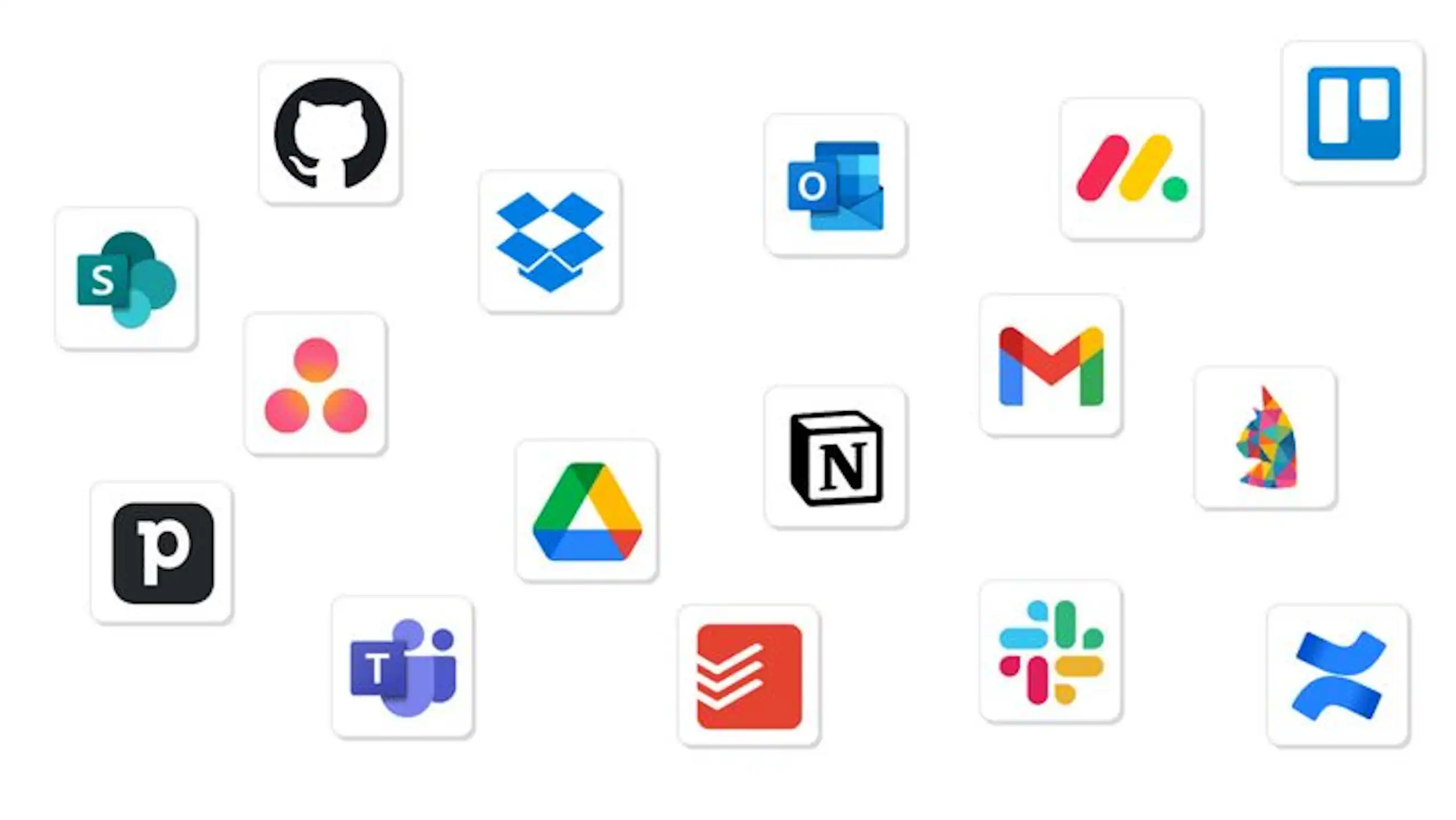
For startups and small businesses, common examples include Google Workspace, Slack, Trello, Notion, HubSpot, and monday.com.
In many African markets, off-the-shelf tools are especially useful when businesses need to professionalize operations quickly. A London-based consulting firm might use Google Workspace, Slack, and QuickBooks to replace scattered emails and manual invoices. A retailer in Texas might use a POS and inventory platform to track stock across branches. A logistics business in Accra might start with route planning and CRM tools before investing in custom dispatch software.
The important point is not whether the software is popular.
The important point is whether it fits your workflow, supports your team, and gives the business room to grow.
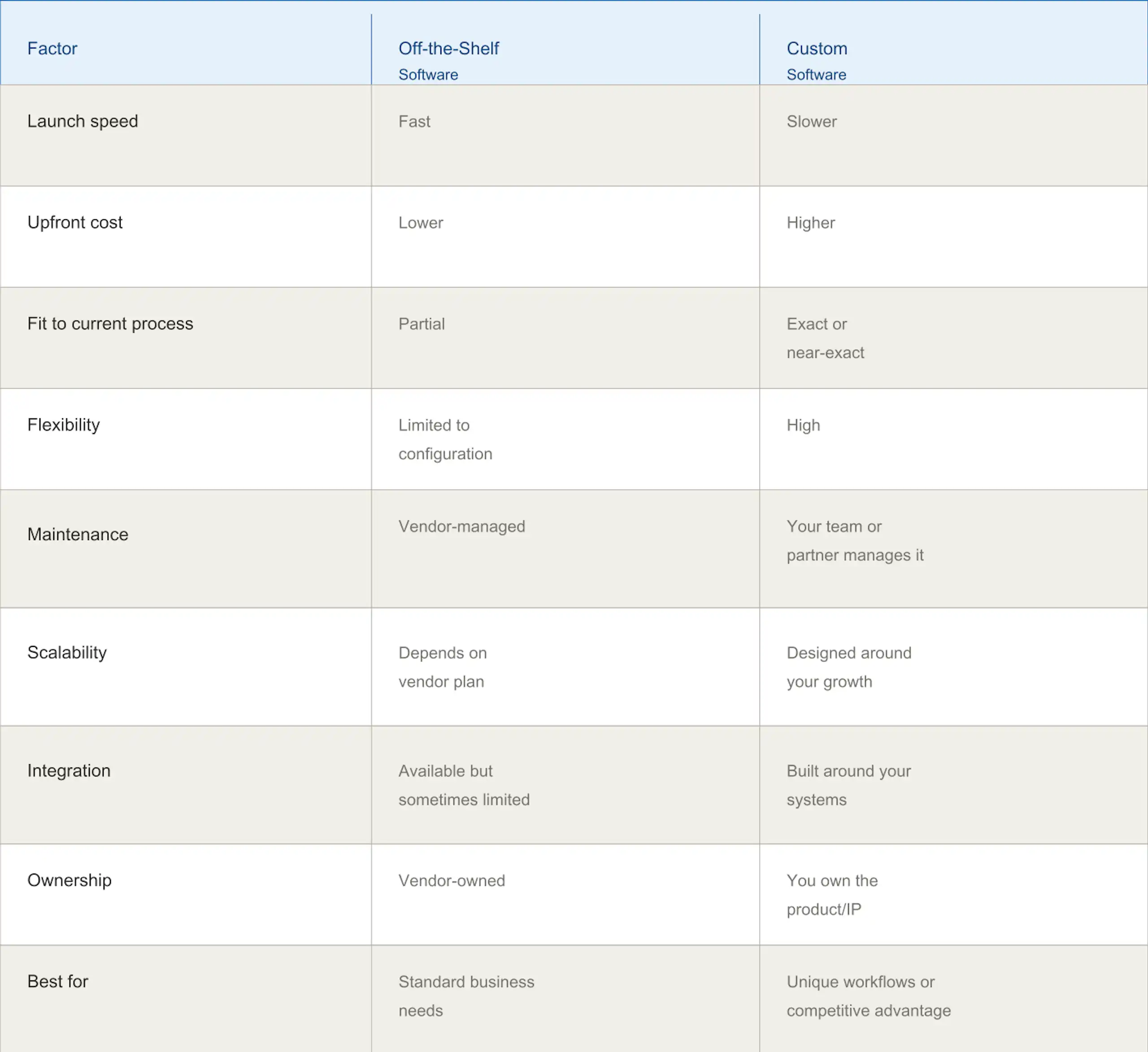
Off-the-shelf software is usually better when your needs are common, your budget is limited, or you need to improve operations quickly.
Custom software development makes sense when your process is highly unique, your existing tools cannot support your model, or the software itself gives you a competitive advantage.
Many businesses choose a hybrid approach: use off-the-shelf software for standard functions like accounting, HR, or email, then build custom integrations, dashboards, portals, or workflow automation around them.
Read more about custom software vs off-the-shelf software
Decision tree:
The biggest advantage is cost efficiency. Instead of spending tens of thousands of dollars upfront on a custom build, a business can often start with a subscription. For example, a 25-person team using a $10/user/month tool may spend around $250 per month before add-ons and implementation.
Speed is another major benefit. Many cloud tools can be configured in days or weeks, not months. That matters when teams are losing time to manual approvals, duplicated data entry, or poor reporting.
Off-the-shelf software also comes with professional support, updates, security patches, documentation, and feature improvements. For a growing company without a large internal IT team, that support can be valuable.
Reliability is also important. Established vendors often serve thousands of customers, so their platforms have been tested across many environments.
Finally, many tools scale as the business grows. You can add users, upgrade plans, connect integrations, and expand features over time.
Off-the-shelf software is not perfect.
The first limitation is customization. The system may not work exactly like your current process. In many cases, the right answer is to improve the process rather than force the tool to match every old habit.
Vendor lock-in is another risk. Once your data, reports, and workflows sit inside one platform, switching can become difficult. This is why export options, APIs, and contract terms matter.
Integration can also be challenging. A CRM, accounting tool, and inventory system may each work well independently but still fail to share data cleanly.
There are ongoing costs too. Monthly licenses, premium support, add-ons, storage, training, and implementation support can add up.
The balanced view is simple: off-the-shelf software is powerful when the fit is right, but expensive and frustrating when chosen without a clear process assessment.
Use this five-step framework:
Ask vendors these questions:
Red flags include vague pricing, poor documentation, weak support, no trial period, limited export options, no integration roadmap, and pressure to sign before testing.
Successful implementation starts before the software is purchased. Assign an internal owner, clean your data, document your workflows, and agree on success metrics.
A simple three-phase roadmap works well:
In the first 90 days, focus on adoption. Track usage, collect feedback, fix workflow gaps, and review whether reports are accurate. Do not assume implementation ends at launch.
Over time, optimize the system through automation, integrations, dashboards, and periodic process reviews.
The best software decision is not always the cheapest or most popular option. It is the one that fits your workflow, team maturity, growth plans, and budget.
Still deciding whether off-the-shelf software is enough, or whether your business needs a custom or proprietary solution? See the full guide to custom vs. off-the-shelf vs. proprietary software to compare the options and choose the right path for your business.
Off-the-shelf software can help your business replace scattered tools and manual processes with clearer workflows, better data and faster execution. The key is choosing the right platform, testing it properly and implementing it with the right technical support.
Not sure whether to buy, customise, integrate or build from scratch? Explore Wazobia Technologies’ software development partnership services to assess your workflows and identify the most practical solution for your business.
Is off-the-shelf software less secure than custom software?
Not necessarily. Established vendors often invest heavily in security, monitoring, backups, and compliance. The real question is whether the vendor’s security standards match your business requirements.
Can off-the-shelf software work exactly like my current process?
Sometimes, but not always. Most tools can be configured, but they may not mirror every internal step. This can be a useful opportunity to simplify inefficient processes.
What if the vendor goes out of business?
Check data export options, contract terms, uptime history, and vendor stability before committing. Always know how you would retrieve your data.
How long does implementation take?
Simple tools can be implemented in days. Larger ERP, CRM, or workflow systems may take several weeks or months depending on data, integrations, and training.
What is the difference between off-the-shelf software and SaaS?
SaaS is a delivery model where software is accessed online by subscription. Many off-the-shelf tools are SaaS products, but off-the-shelf software can also include installed or licensed applications.
Can I switch vendors later?
Yes, but it may require data migration, retraining, and workflow redesign. Plan for portability from the start.
Is off-the-shelf software more expensive over time?
It can be. Subscriptions add up over years, especially with many users or add-ons. Compare total cost of ownership, not just monthly pricing.
What support can I expect?
Support depends on the vendor and plan. It may include chat, email, documentation, onboarding, account management, or paid implementation services.
Is off-the-shelf software right for my business?
It is a strong choice when your needs are common, your budget is controlled, and speed matters. It may not be ideal if your workflow is highly specialized.
What is the learning curve?
Most modern tools are designed for non-technical users, but training is still essential. Adoption improves when teams understand both how the system works and why it matters.
Keep Reading
Jul 23, 2026 · 8 min read
Compare a database vs spreadsheet for managing business data. Learn the signs that spreadsheets are limiting your workflow and what to use instead.

Jul 23, 2026 · 9 min read
Compare SQL vs NoSQL databases by structure, transactions, scalability and use case. Learn which architecture is right for your application.
.jpg_7DAeB8?tr=w-2560,f-webp,q-50)
Jul 23, 2026 · 8 min read
Find the best database for web applications based on SaaS, ecommerce, marketplace, real-time and content use cases. Compare the practical trade-offs.
© Wazobia Technologies 2026
